How the risk register works
The register answers three questions, and only three — what could happen to us, how bad would it be, and have we decided what to do about it. It is not a list of things you are missing; that list is your action plan.
Where the risks come from
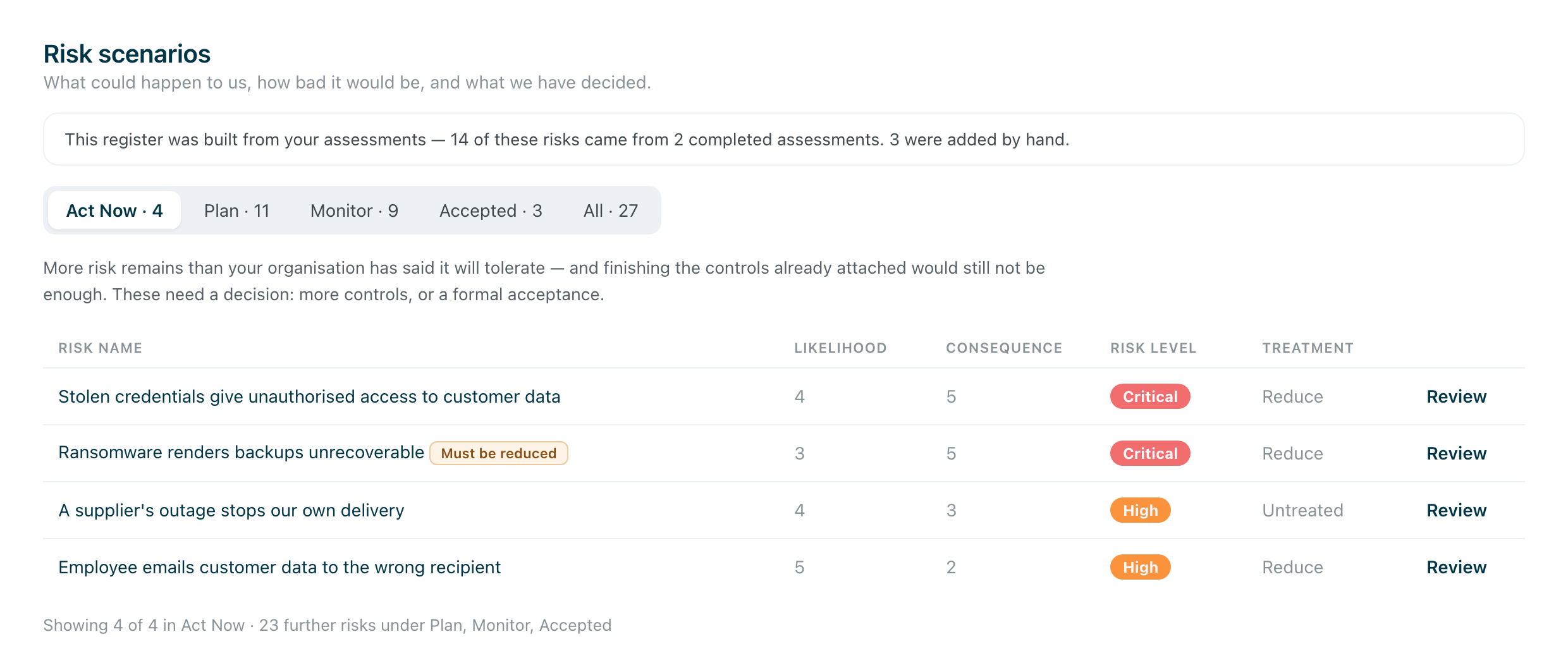
Most of them arrive from your assessments — the register says so at the top, and links back to the assessment they came from.
The rest you write yourself, with Create Risk: after an incident, out of a supplier review, or because somebody in the room simply knows about an exposure no framework asked about. Those are not lesser risks. A register that could only hold what an assessment produced would be a report.
The three numbers behind every risk
Everything else follows from these three.
The starting point — how likely and how serious the scenario would be if you had none of your controls in place, judged over the next twelve months. That is what you score when you create a risk, and it is deliberately the raw picture: if you scored today’s situation instead, the number could never improve, and you would have nothing to measure progress against. In the product this is called the inherent risk.
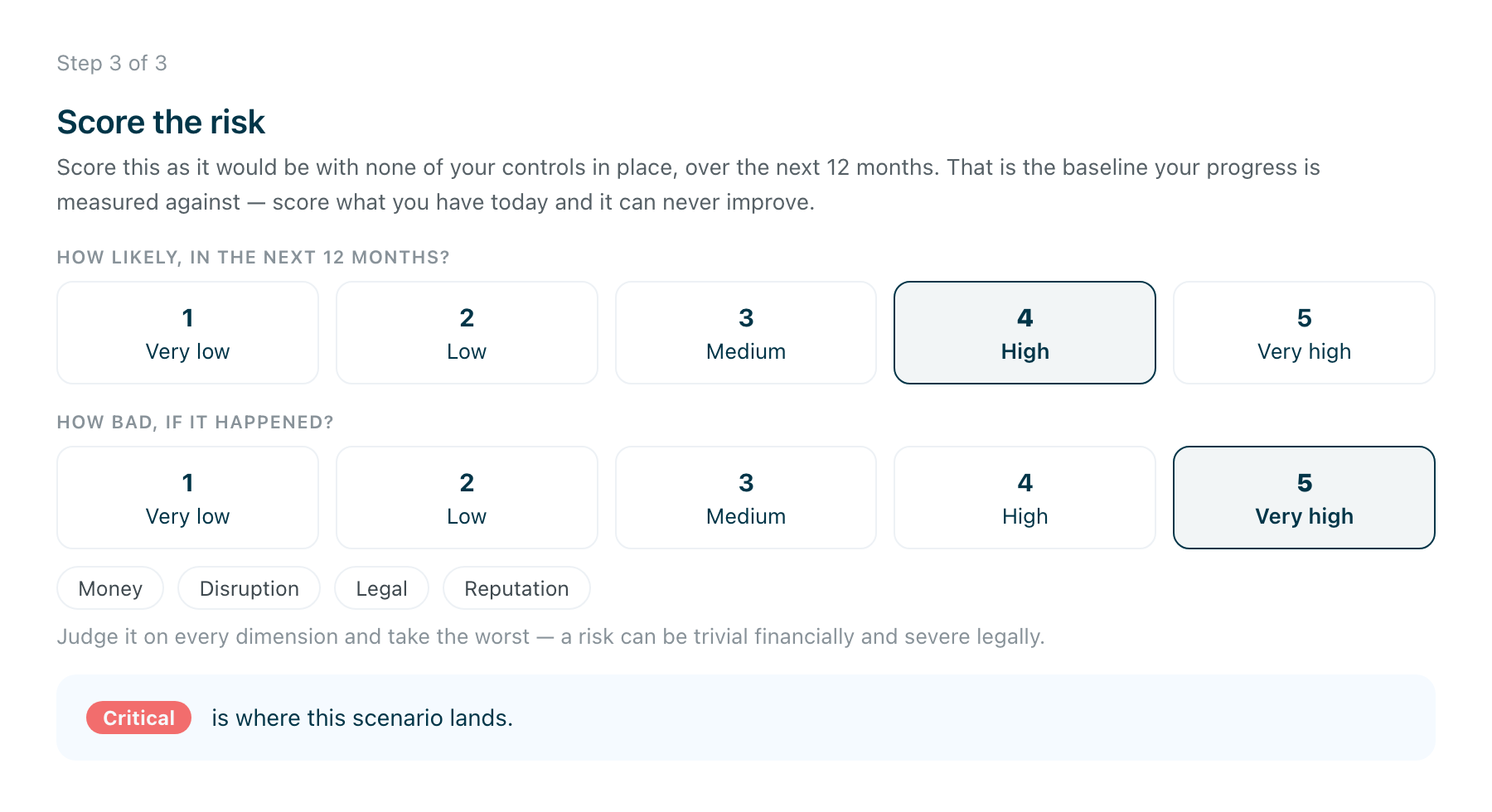
What remains today — the same risk after the controls you have actually finished are counted. This is the Risk level column in the register, and it is the number that falls as work gets done. In the product this is the residual risk.
Where it will land — what would remain once the controls already attached to the risk are finished. Nobody has to calculate it; it is what decides which queue the risk sits in.
What your organisation will tolerate
Behind the queues below sits your risk tolerance: how much risk your organisation is willing to live with. It is the line the three numbers above are measured against.
The platform starts you on a default so the queues work from day one, but the line is yours to set. Treat it as a statement of appetite rather than a dial for making the list shorter — move it to make an uncomfortable table comfortable and you have changed what your organisation claims to accept, on paper, with your name on it.
How your risk tolerance shapes the register covers the five positions and what moves when you change it.
The five queues
The register is worked through queues rather than as one long list. Each one asks for something different:
Act Now — more risk remains than you have said you will tolerate, and finishing everything already attached still would not be enough. These need a decision: more controls, a transfer, or a deliberate acceptance.
Plan — more remains than you will tolerate, but the controls already attached will bring it within tolerance once they are finished. These need the work doing, not another meeting.
Monitor — what remains is already within tolerance. Keep an eye on it. Nothing is outstanding.
Accepted — you have formally accepted the risk as it stands, with a reason on record.
All — everything, whatever state it is in.
The queues move on their own as work completes: a risk slides from Plan to Monitor when its controls are finished. That is the point of them — a queue that never empties is a queue nobody reads.
Deciding what to do about a risk
Open a risk and you choose one of four treatments.
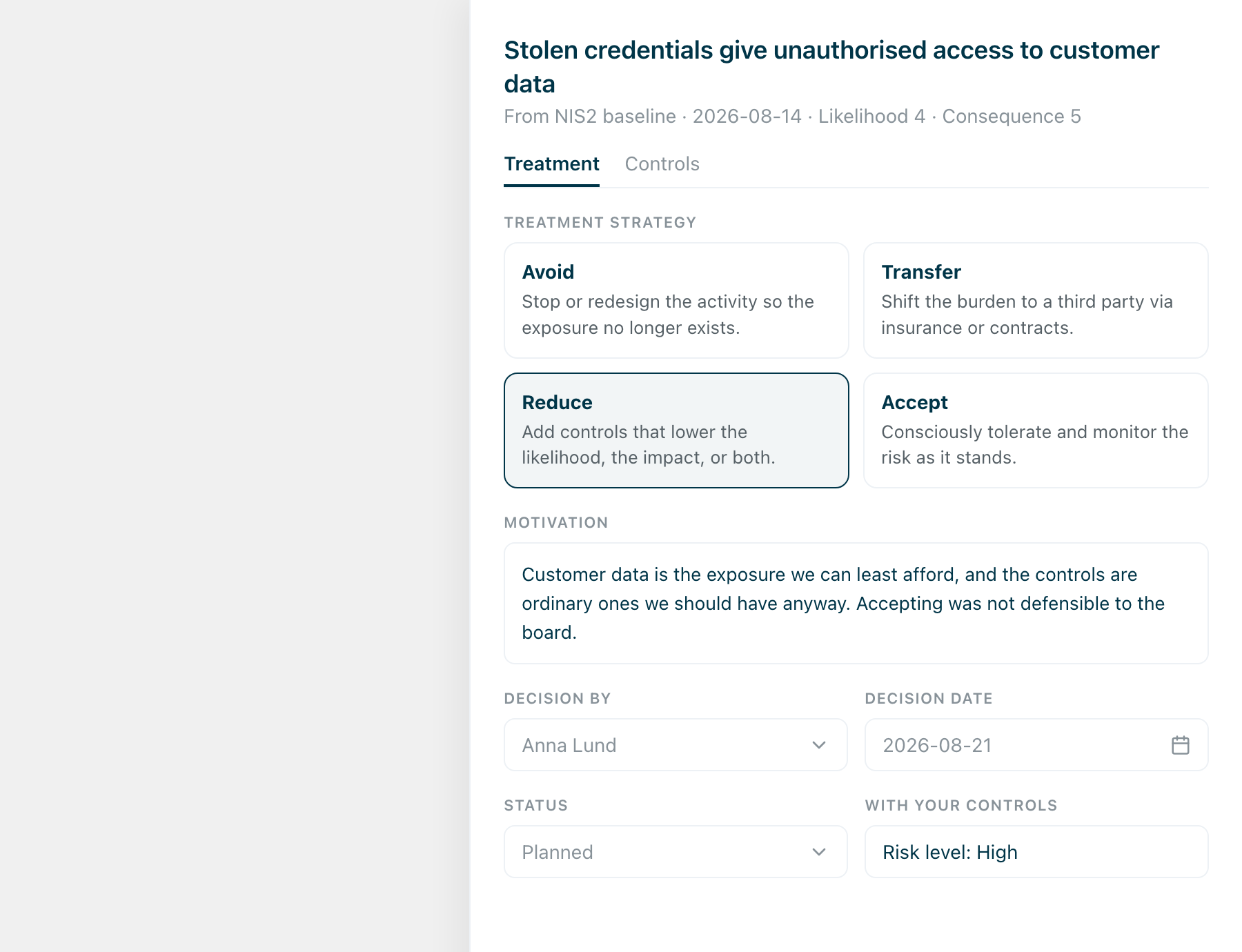
- Avoid — stop or redesign the activity so the exposure no longer exists.
- Transfer — shift the burden to a third party, through insurance or contracts.
- Reduce — add controls that lower the likelihood, the impact, or both.
- Accept — consciously tolerate and monitor the risk as it stands.
Then write why. The motivation is not paperwork: in a year, the reasoning is the only thing that explains the decision to someone who was not in the room. Decision by and decision date name the person and the day. Under most regulations, responsibility for these decisions sits with management personally and cannot be delegated away — so the signature is the point, not a formality.
Sometimes the choice is made for you. A risk can carry a flag saying it must be reduced whatever your organisation would otherwise tolerate — under NIS2, for example — and such a risk cannot be signed off as accepted.
Where the work lives
Choose Reduce and the controls sit under the risk, with how far each has got.
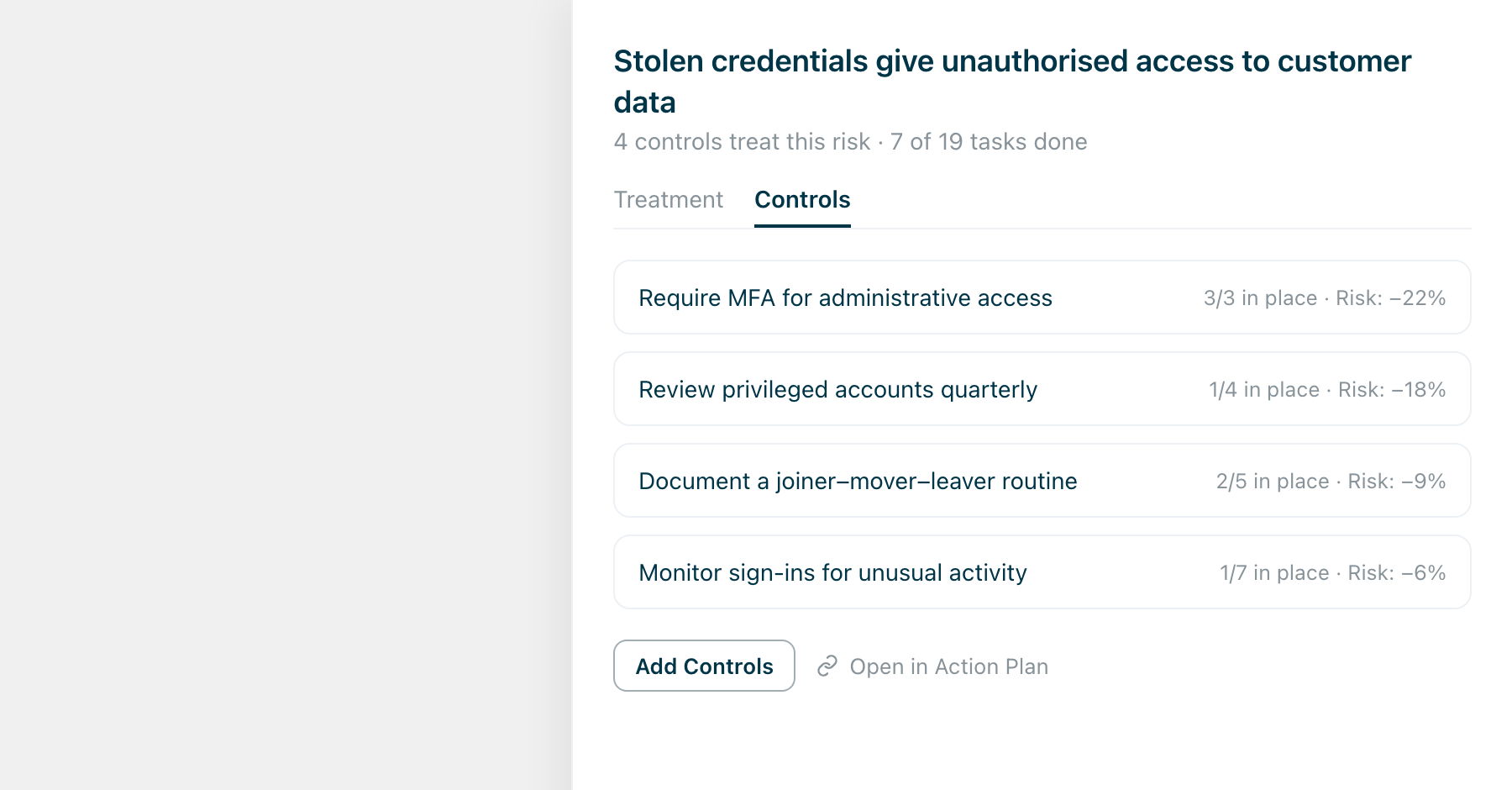
These are the same controls as in your action plan — not copies. Finish a control’s tasks in the plan and the risk it treats moves here, without anyone re-recording anything. Open in Action Plan takes you to where the work is done.
One risk usually needs several controls, and one control usually lowers several risks. That is why the two live in different places and point at each other.
Reading the matrix
The matrix on your dashboard is the whole register on one grid: likelihood up the side, consequence along the bottom, each risk in the square where those two meet. The colour is just those two multiplied — bottom left is quiet, top right is not. The number in a square is how many risks sit there; click it to see them.
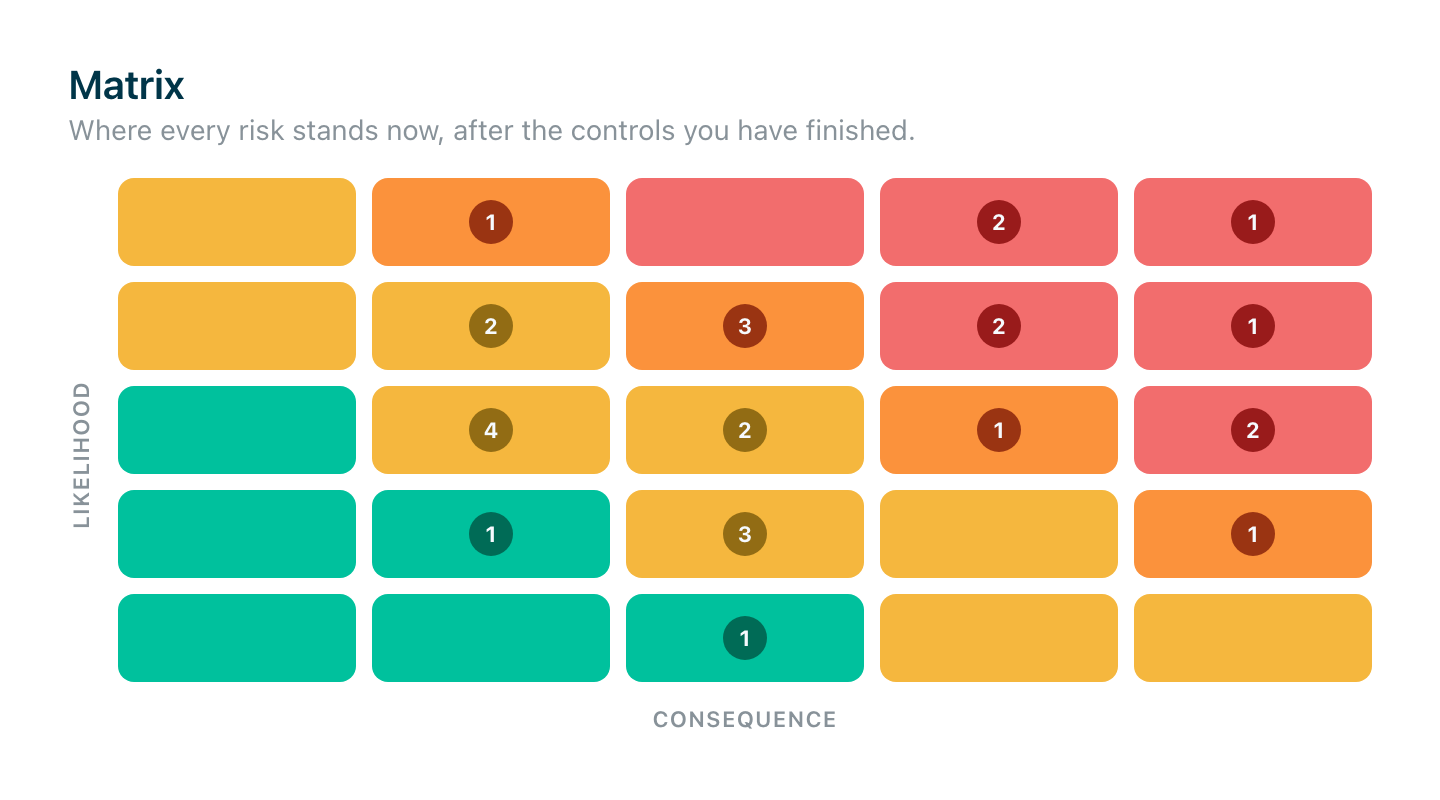
The matrix shows where your risks stand now — what remains after the controls you have finished. It moves as you work: complete the controls treating a risk and it steps down and to the left, out of the red corner.
That makes it the fastest read on the register you have. If the top right is crowded, the decisions in Act Now are the ones to make this week; if it thins out over a quarter, the work is landing.
Where to start
Run an assessment first — it fills the register for you and gives you real scenarios to react to rather than a blank page.
Then work Act Now, because those are decisions only you can make, and nothing downstream happens until they are made. Plan takes care of itself as your team finishes controls.
Add risks by hand as they come to you. An incident, a supplier that worries you, a question from the board — those are the exposures a framework never asked about, and they are usually the ones you already know are true.