How your risk tolerance shapes the register
Your risk tolerance is how much risk your organisation is willing to live with. Setting it leaves your risks and their scores as they are. What it decides is which of those risks need something from you.
What are you choosing?
Five positions, from the one that treats the most to the one that accepts the most. Each position is a ceiling. Choosing Low means you accept risks up to and including Low, and anything above it has to be dealt with.
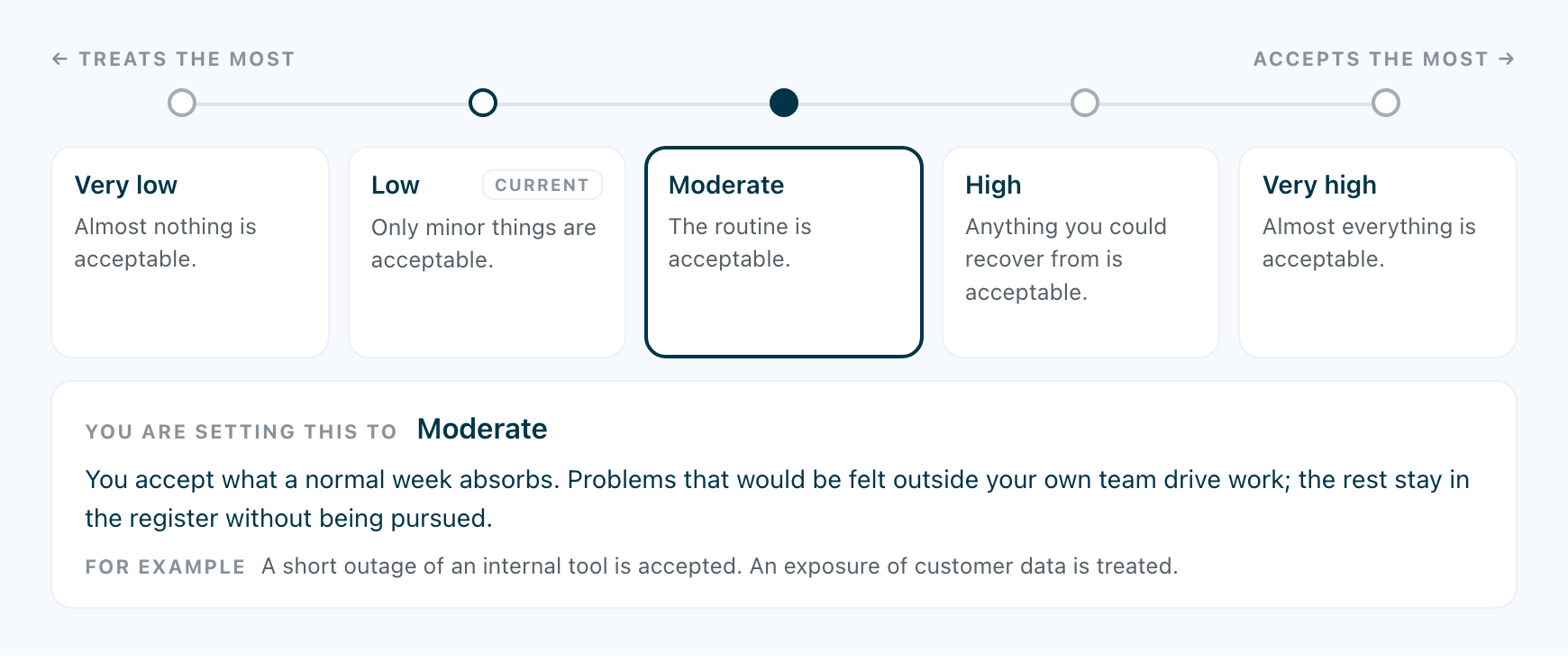
There is no number to set. Each position is described in words, with an example of one thing it accepts and one thing it still treats. The examples say more about where the line falls than the names do.
You set it in Settings, under Risk tolerance, or as a step during setup. Until someone does, the platform default applies, which is Low. Only your organisation’s own owner can change it, and the choice is saved with their name and the date.
What moves when you move the line?
The register compares every risk with your line, using what remains of the risk after the controls you have finished. That comparison decides its queue:
- Monitor: what remains is at or below the line.
- Plan: what remains is above the line, and the controls already attached will bring it below once they are finished.
- Act Now: what remains is above the line, and finishing the attached controls still would not be enough.
- Accepted: risks you have formally accepted, wherever the line is.
Move the line and risks move between the queues. Raise it, and risks leave Act Now and Plan for Monitor. Lower it, and they come back. A risk can also move between Plan and Act Now, because whether its controls are enough depends on where the line sits.
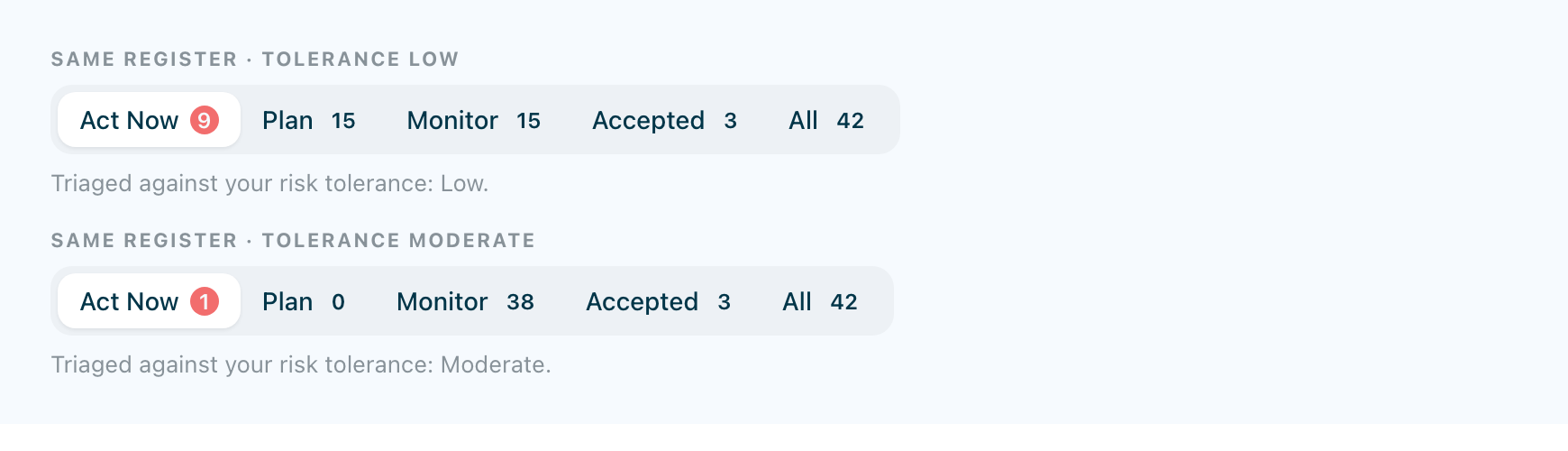
The number of risks stays the same, and so do their scores. Accepted and All are unchanged. The register is the same register, sorted against a different line.
The line in force is named at the foot of the register: Triaged against your risk tolerance: Low. If nobody has set one yet, it says the platform default is in use.
What happens on the dashboard?
The matrix on your dashboard places each risk by what remains after your completed controls, and colours each square by the risk level that square represents. Neither the position nor the colour reads your tolerance. Changing the tolerance moves nothing on the matrix; a risk moves on it when the controls treating it are finished.
The number that responds is Above tolerance, beside the matrix: how many of your risks lie above the line you have set. Move the line and that number changes, while the grid stays exactly as it was.
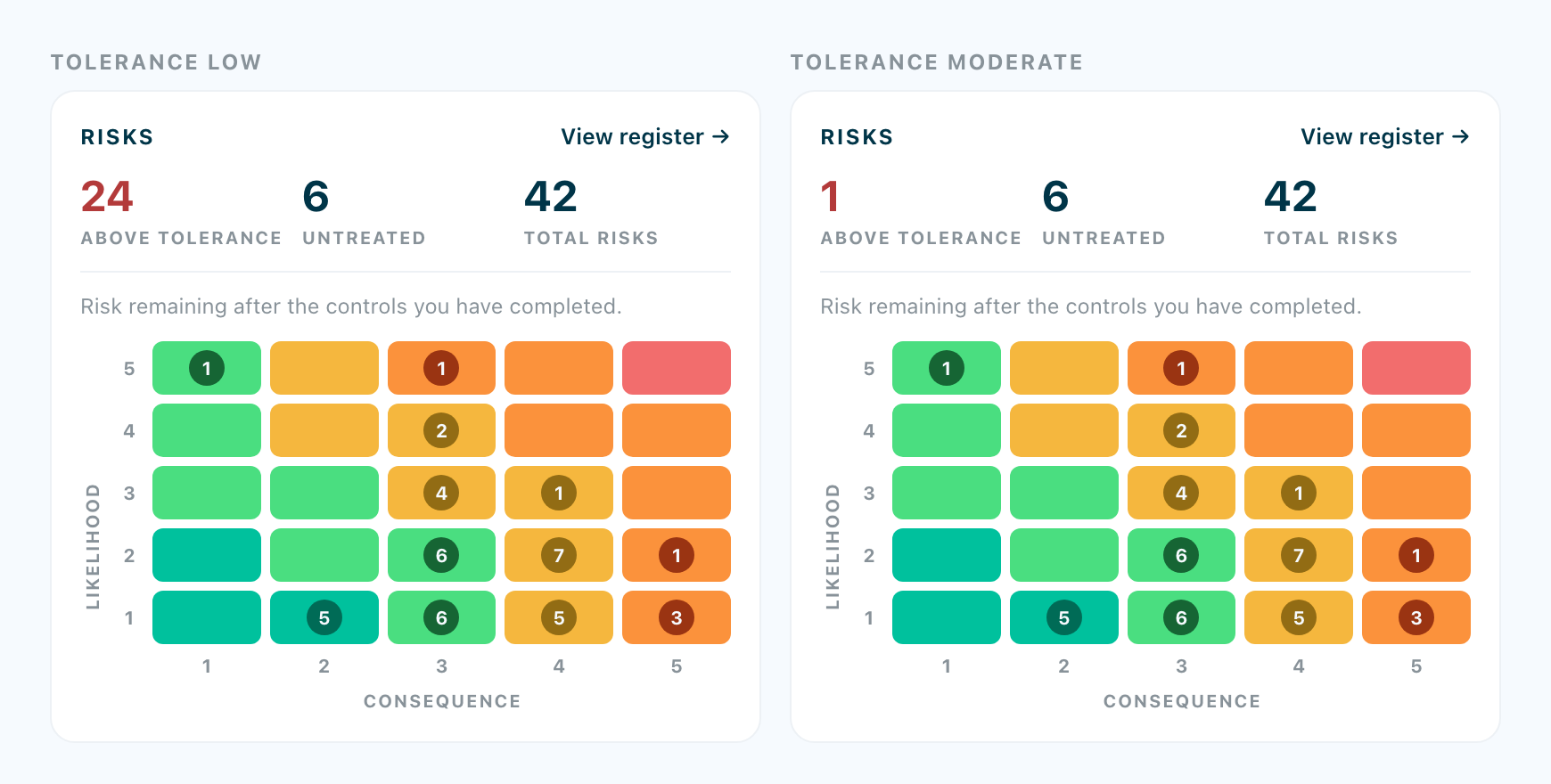
The matrix shows how exposed you are. The tolerance is how much of that exposure you have decided to live with. Because the two are kept apart, a change of policy never shows up as a change in exposure.
Does raising the tolerance reduce risk?
No. Raising it empties Act Now, and nothing has become safer: the same risks have the same scores, and fewer of them now ask for a decision. That can be the right call for your organisation. It is a decision about what you are prepared to carry, which is why it is saved with a name and a date.
To accept a single risk that sits above the line, you do not need to move the line. Accept that risk on its own. The register asks for a reason and records it with the decision.
How should you choose?
Pick the position you could explain to your board and to an auditor, and then leave it alone. Read the examples under each position and find the one where both the thing accepted and the thing treated sound right for your organisation.
If Act Now feels too long, work through it and decide on those risks one at a time. Raising the line underneath them changes what your organisation says it accepts.
Related articles