What the Action Plan is
Your assessment says where you stand. The Action Plan is where that becomes work someone has agreed to do.
Nothing arrives here automatically. The platform proposes; you decide what to take on, who owns it and by when.
The Action Plan is part of Control.
Two halves, two jobs
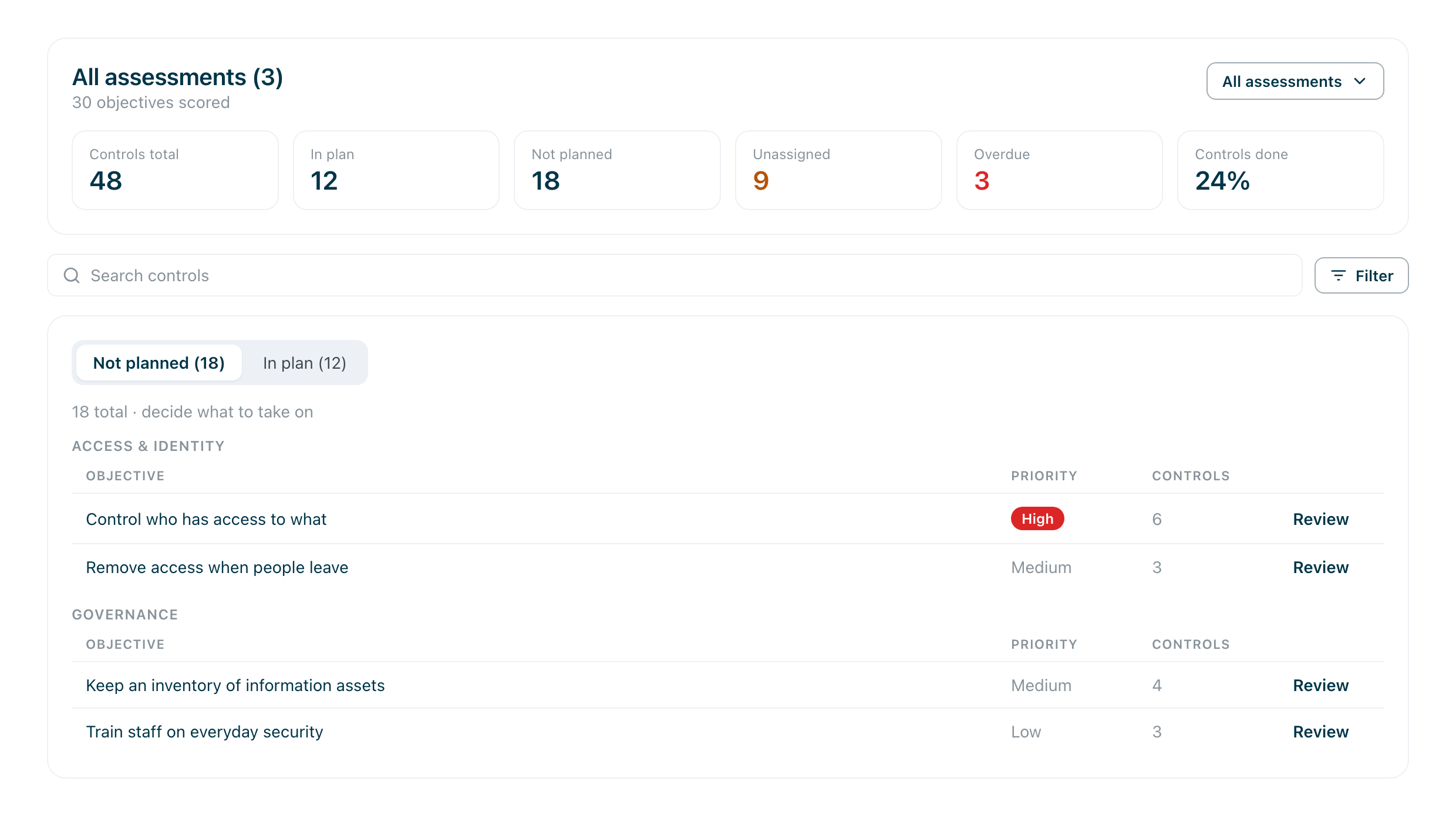
The plan opens on Not planned: everything your assessments recommend that you have not committed to. This half is a decision.
In plan is everything you have committed to, with an owner, a date and progress. This half is a follow-up.
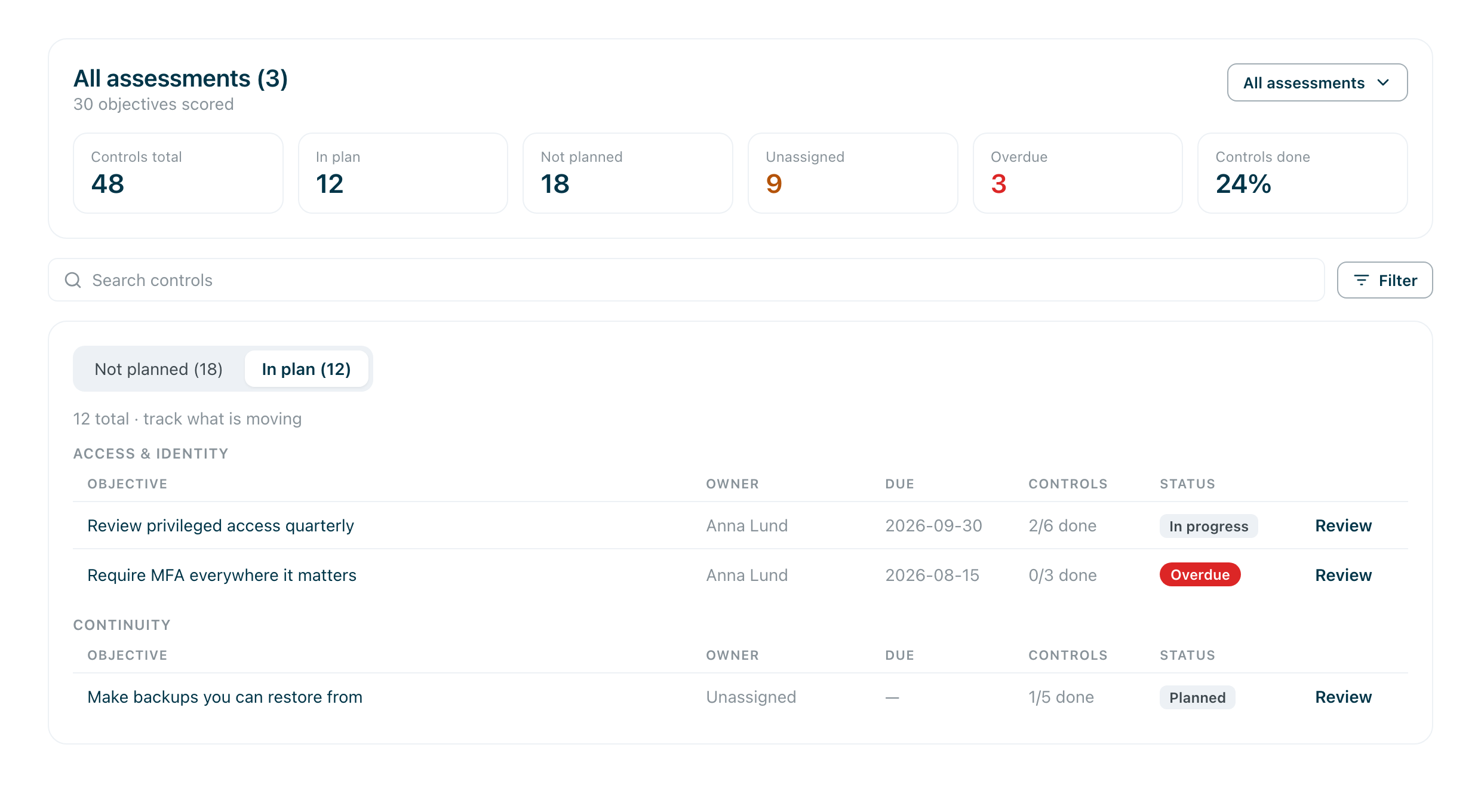
Work is grouped into objectives — an outcome like Control who has access to what — and each objective holds the controls that get you there. The header counts every completed assessment together; the selector beside it narrows the view to one assessment without changing the plan.
Your first visit
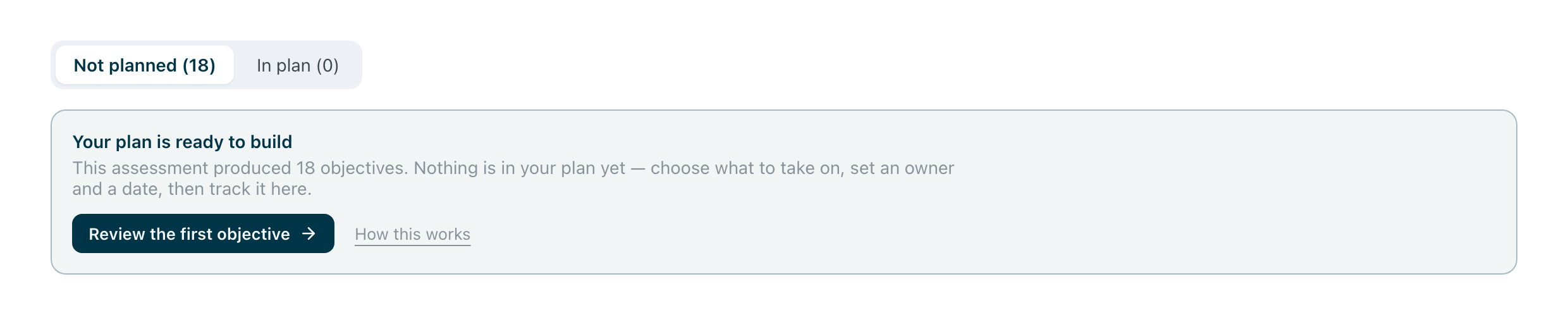
Before anything is committed, the plan tells you so and offers the first objective to look at.
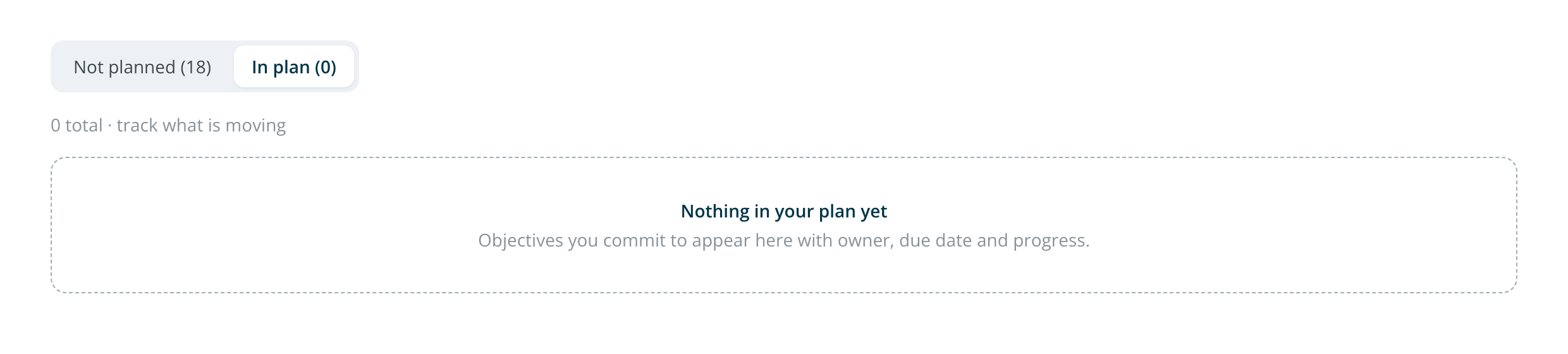
Until you commit something, In plan is empty — and that emptiness is accurate, not a fault.
Taking work on
Open an objective to see its controls, with a priority, how much risk finishing it would remove, and roughly how much work it takes. Tick the ones you are taking on and add them; assign an owner and a deadline to several at once.
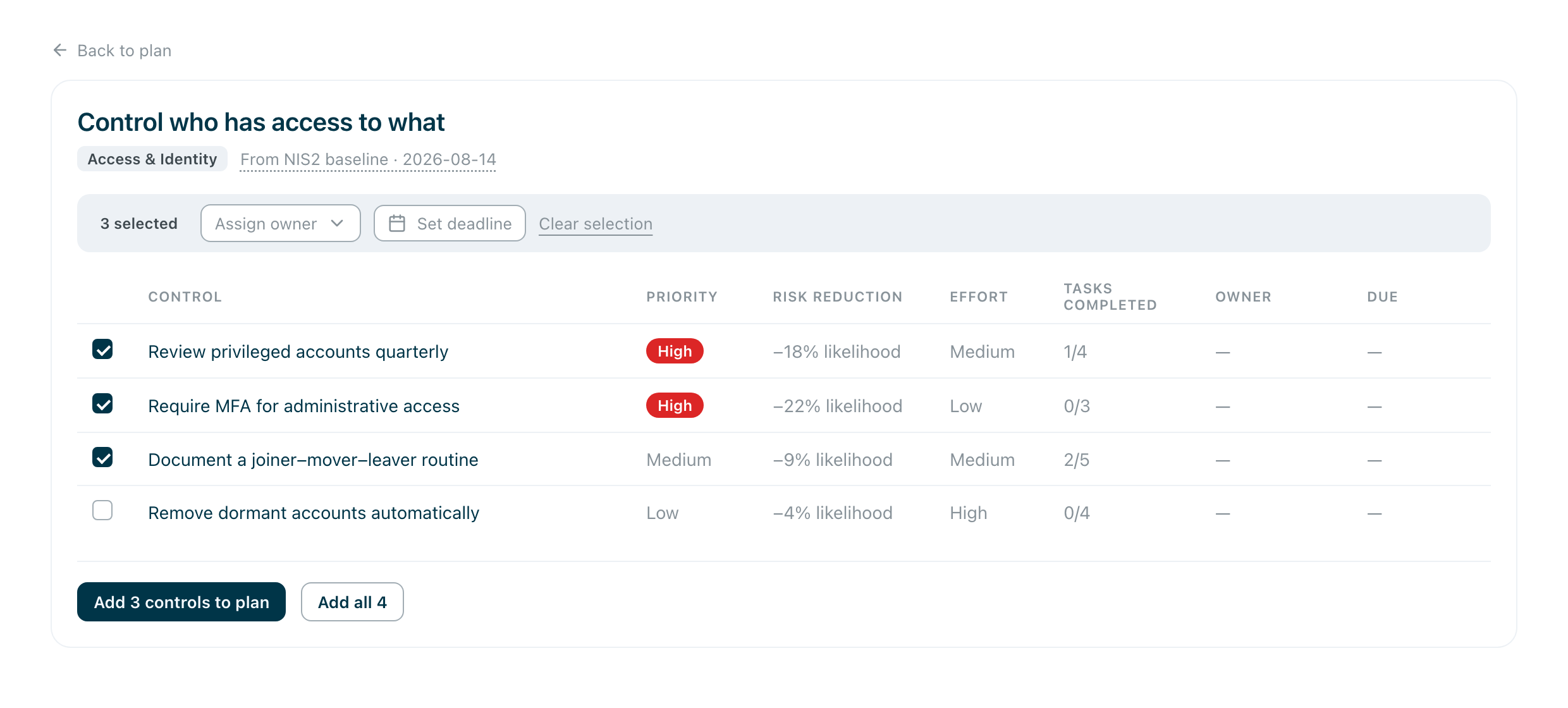
You do not have to take the whole objective. Three of five is a normal answer, and the rest stay in Not planned until you want them.
Working a control
A control opens as a panel: what it means, who owns it, when it is due, and the tasks it is made of. Ticking tasks is how progress moves — the plan tracks the work, not the assessment.
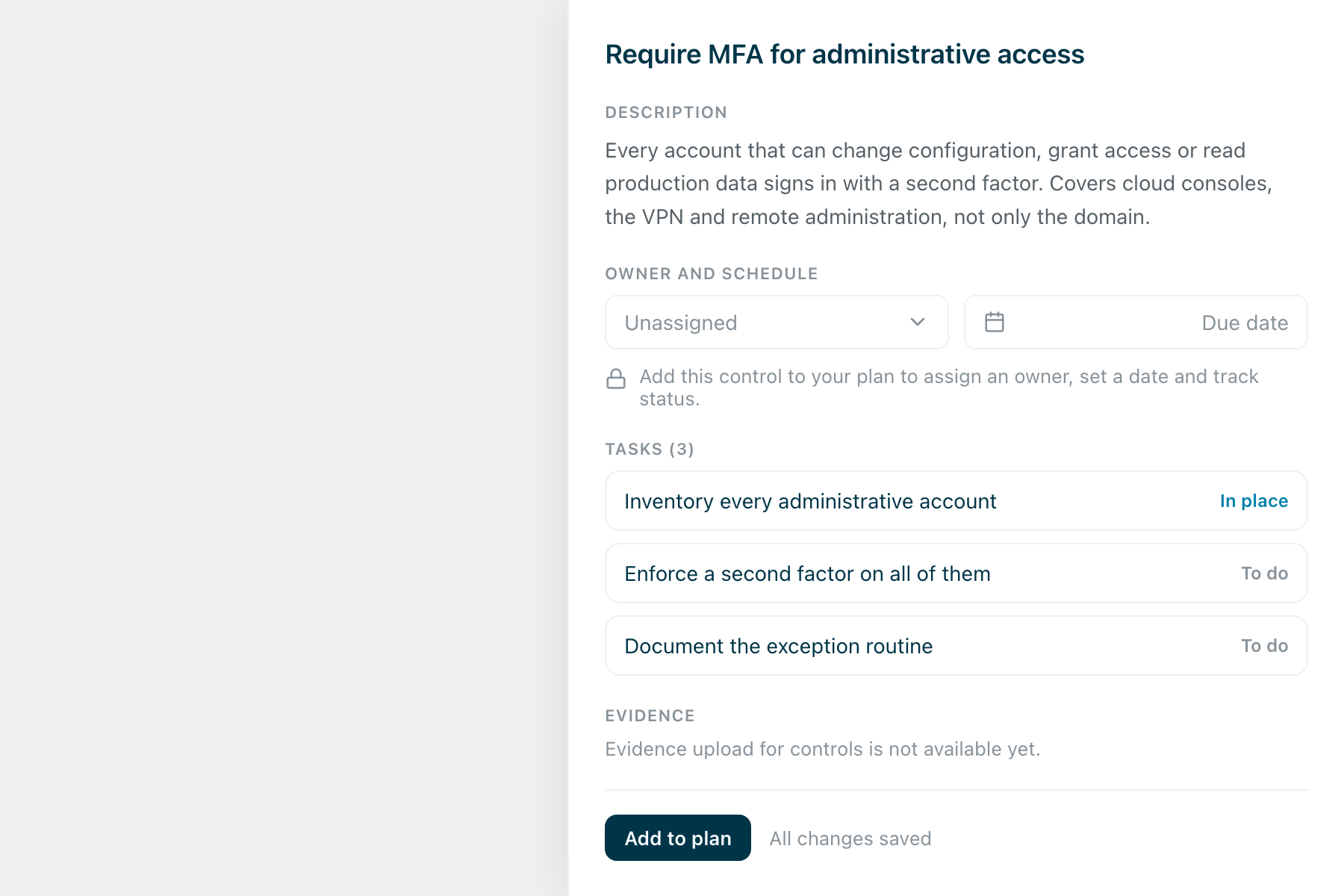
Owner, date and status stay locked until the control is in your plan. Committing is what turns a recommendation into work.
What the numbers mean
- Controls total · In plan · Not planned — the size of the plan and how much of it you have committed to.
- Unassigned · Overdue — controls with nobody on them, and controls past their date. These are the two that ask for action.
- Controls done — how much of the work is finished, from ticked tasks.
When you assess again
A new assessment changes what is recommended. The plan says what changed and changes nothing on its own.

Controls the newest assessment no longer asks about stay in your plan, marked. A framework moving on is information, not permission to close work you decided to do.
Three words
Objective — an outcome worth reaching. Control — a measure that gets you there; the thing you commit to, own and schedule. Task — a step inside a control; ticking these is what moves progress.